
I'm OK: Daily Check-in
Confirm that you are well with one tap and share the update with the people you choose. Thoughtful reassurance for families, solo travelers, and outdoor activities.
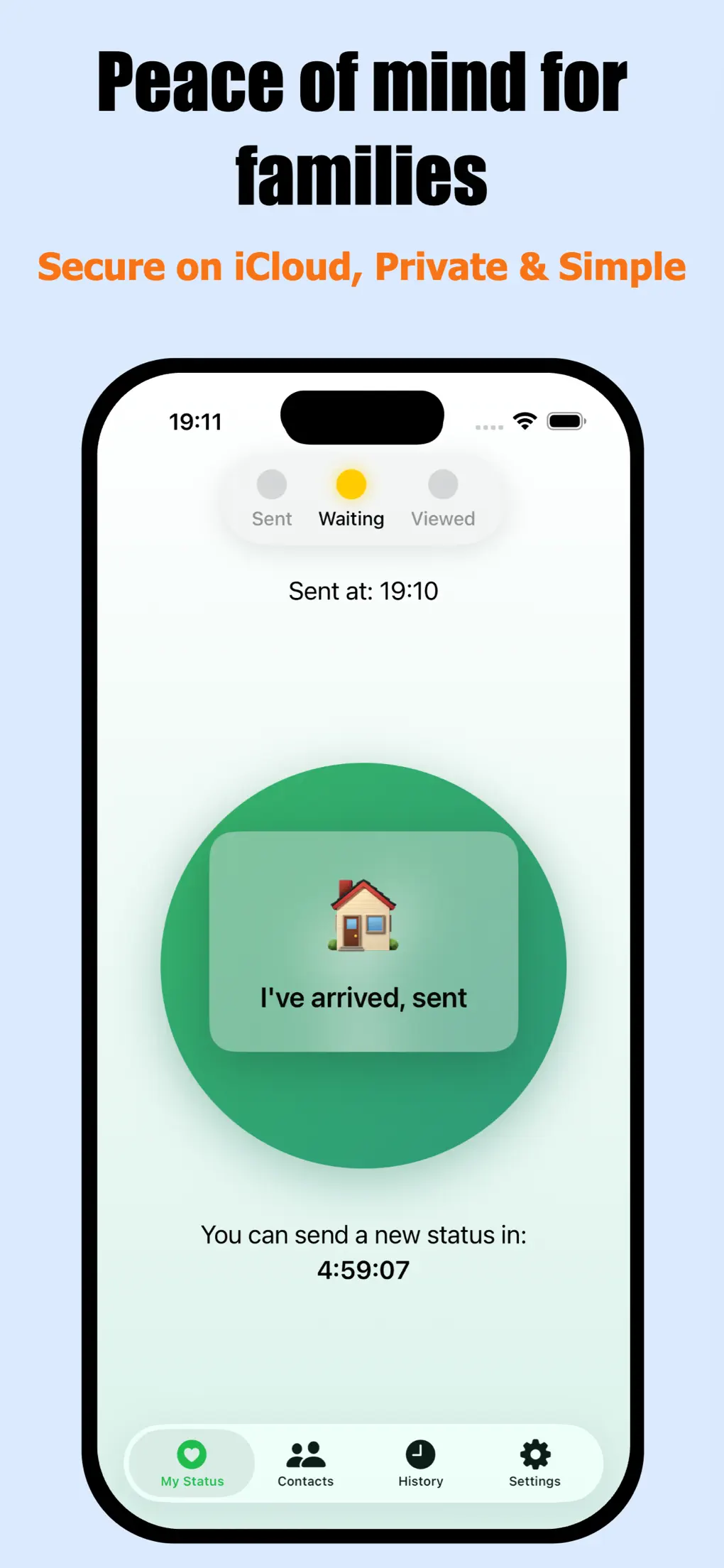
Shared status
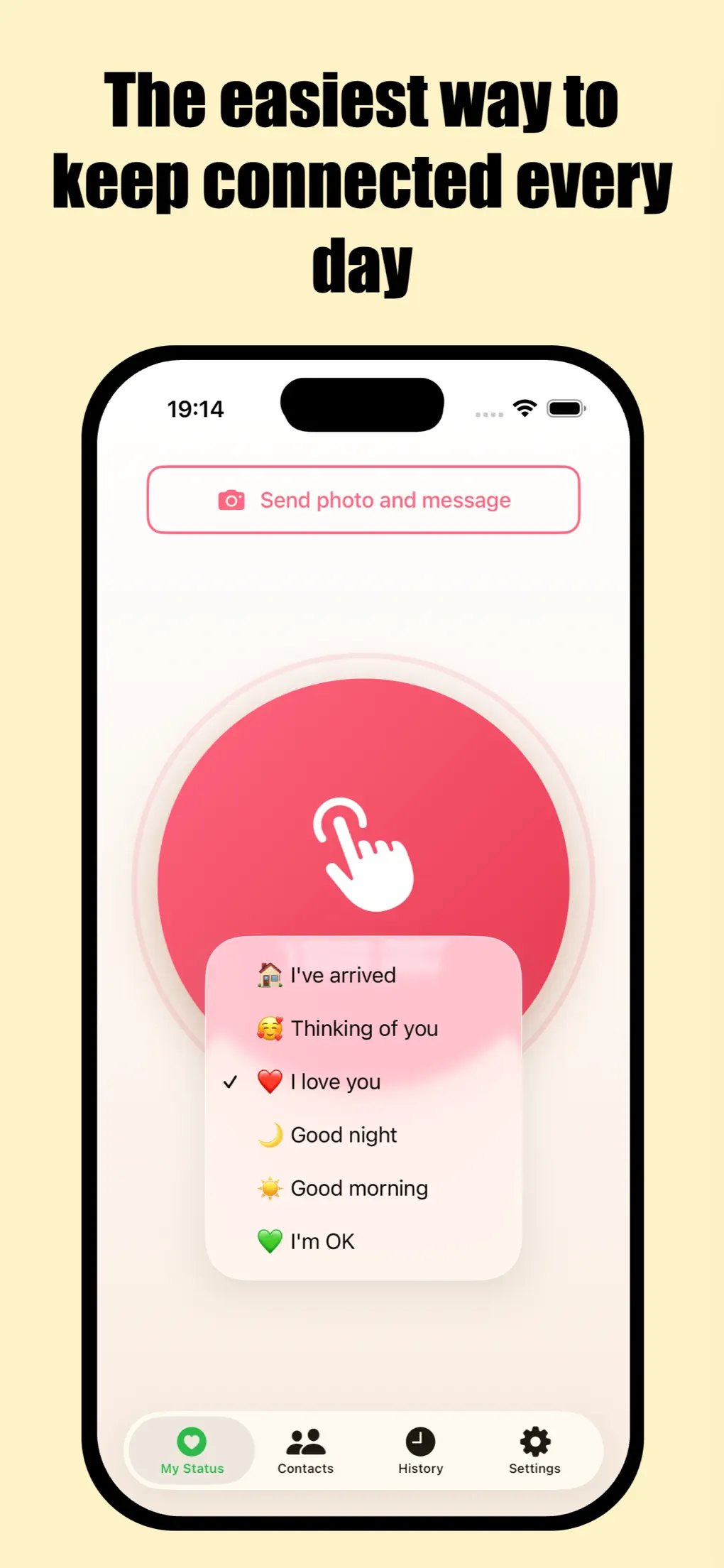
Quick messages
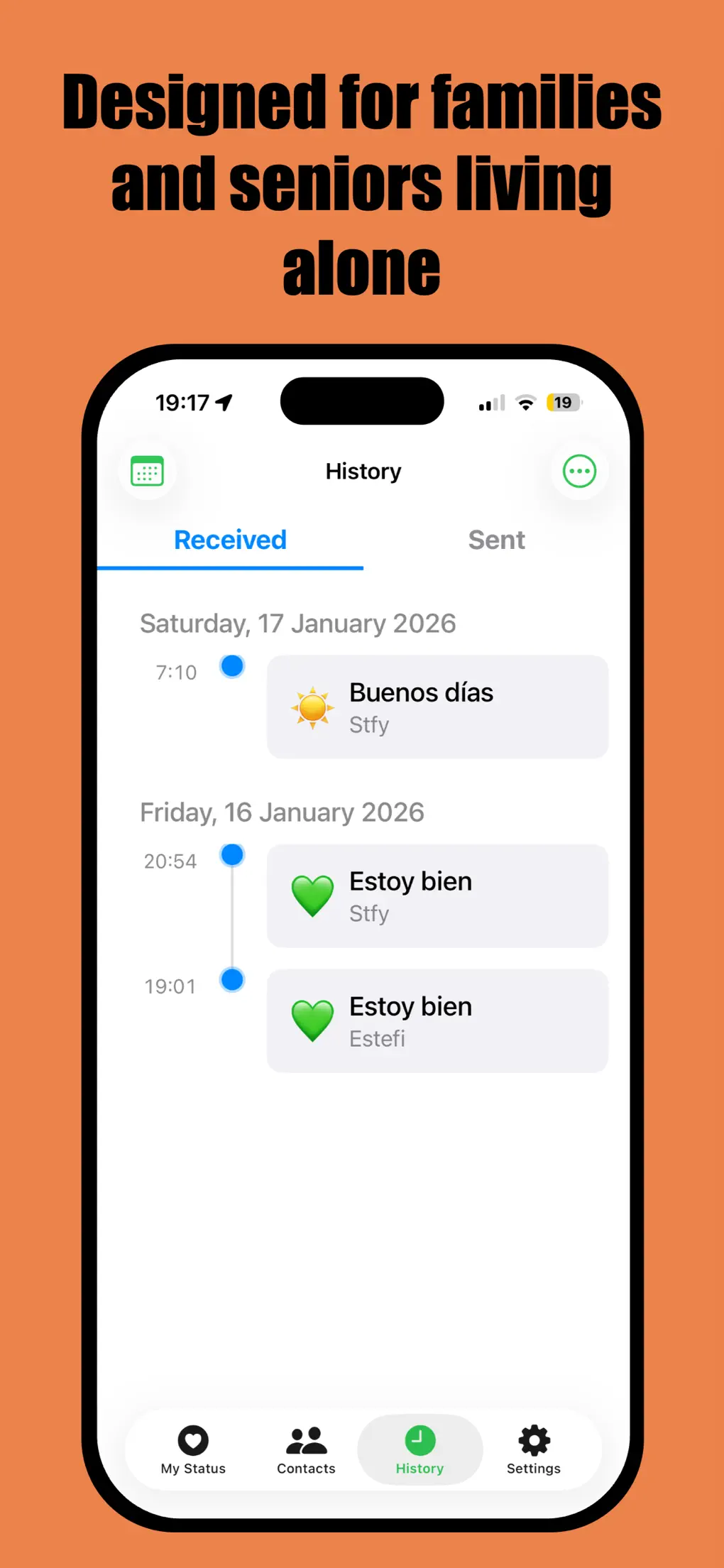
Check-in history
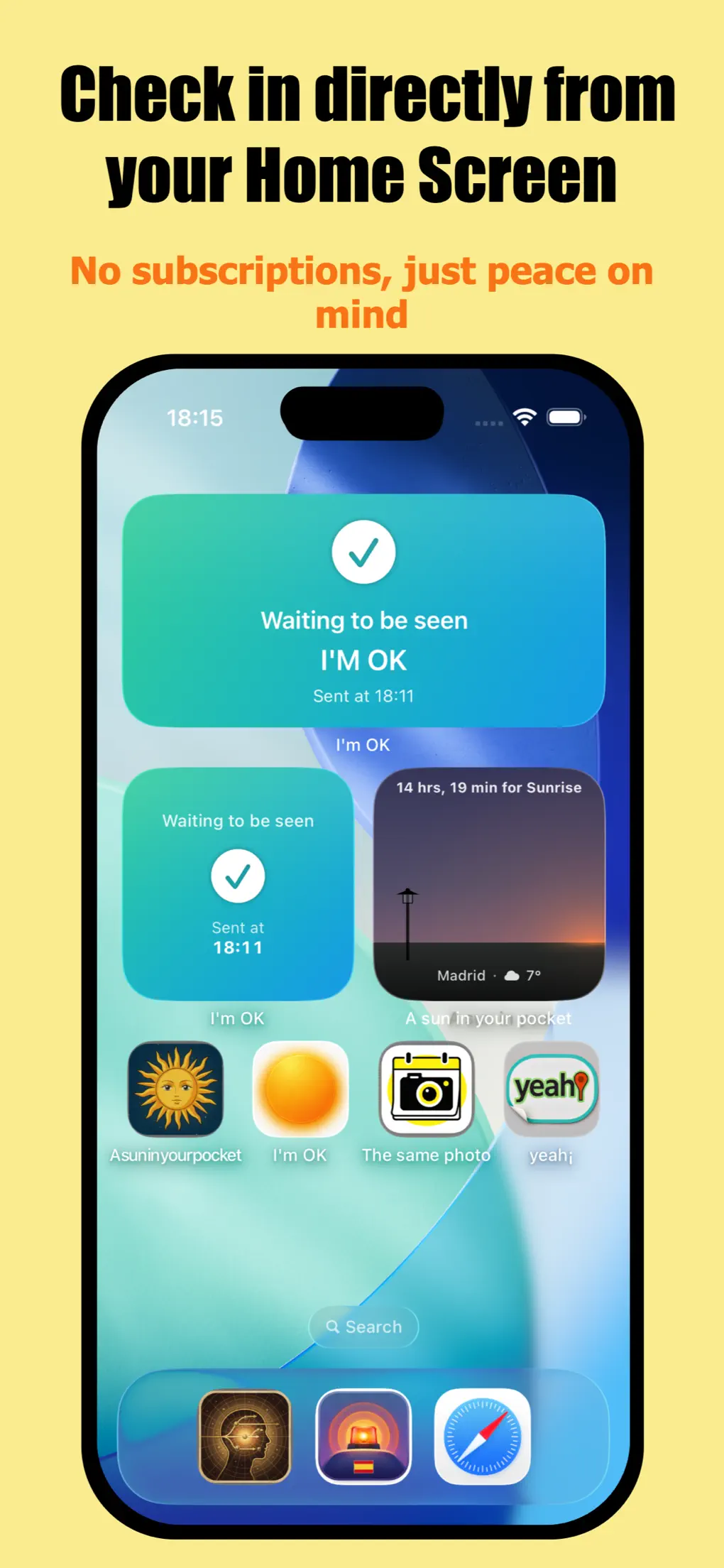
Home Screen widget
An easy way to say “I'm OK”
Share simple reassurance with your family or friends at a distance. You choose when, what message, and who sees it.
Care without friction
Stay reassured that an older parent living alone has checked in without intrusive phone calls.
Trips & Getaways
Send a quick "I'm OK" while traveling, checking into a hotel, or heading back home with a single tap.
Outdoors & Solo Sports
Share your status before or after a hike, bike ride, run, or solo adventure.
How it works
Choose who you want to share with and confirm whenever you're ready.
Choose your contacts
Add close family or friends via private invitation to share your reassurance updates.
Confirm you are well
Tap the check-in button in the app or widget. You can add a note, a photo, or a quick “I have arrived”.
Family stays informed
Your contacts can see the update, mark it as seen, and reply in a lightweight private chat.
Everything that matters in a few taps
Pick the check-in method that fits your routine best.
One-tap Check-in
Send your status instantly with presets like “I'm OK”, “Good morning”, or “Good night”.
Home Screen Widget
Check on family and confirm your own status right from your iPhone Home Screen.
Reminders
Set convenient daily reminders so you never forget to check in.
Notes & Emojis
Type a custom note, attach an emoji, or select a pre-written message.
Optional Photo
Add a photo to your update whenever you want to share a glimpse of your day.
“I have arrived”
Notify loved ones cleanly when arriving at home, school, or your destination.
History Log
Browse sent and received updates in a clean list or calendar view.
Private Chat
Message directly with chosen contacts right from the shared status thread.
Everyday peace of mind, not an emergency system
I'm OK is a personal reassurance tool between trusted people. It functions when the phone is on, has network connectivity, and notifications are allowed.
Frequently Asked Questions
Direct answers to common questions.
How does it work?
You choose your contacts, confirm that you are well from the app or widget, and they can view the status you share.
Who receives the update?
It is shared exclusively with the contacts you pick and who accept your invitation.
Can I send a message or photo?
Yes. You can add a custom message, a photo, or quick statuses like “I'm here” and “I have arrived”.
What happens if the phone is off or has no network?
The app needs the phone to be powered on, have cellular/Wi-Fi coverage, and allow notifications. Updates will send as soon as coverage is restored.
Can I send updates via SMS or WhatsApp?
Yes. You can open the update and share it directly through SMS or WhatsApp with family members who don't have the app.
Is it an emergency service?
No. It is a personal daily reassurance tool. It does not guarantee delivery and does not replace emergency dispatch (911/112).
Version History
App updates and improvements released on the App Store.
Version 1.2
Latest- SMS & WhatsApp sharing: share an update with contacts who don't use the app.
- Visual polish: new animations and color effects when sending status updates.
- iPad photo handling: improved performance when attaching images on iPad.
- “I'm here”: optional locality tag and Apple Maps link.
- Bug fixes and stability improvements.
Version 1.1
- Missed check-in alert: set a time window for expected updates.
- Simple chat: send short messages to your contacts.
- Smart reminders: automatically skips reminder when already checked in.
- Faster intervals: shorten wait times between status updates.
- Bug fixes and performance enhancements.
Version 1.0
January 22, 2026- Initial release on the App Store.
The quiet reassurance of knowing they are OK
Available for free on iPhone and iPad. Simple, private, and direct.