Write, refine, and bring your verses to life.
Poetry Companion is your literary workshop for iPhone and iPad: work on meter, find rhymes, save versions, and organize poetry collections. Whenever you like, you can also use AI to explore ideas and generate drafts in your chosen tone, style, and meter.
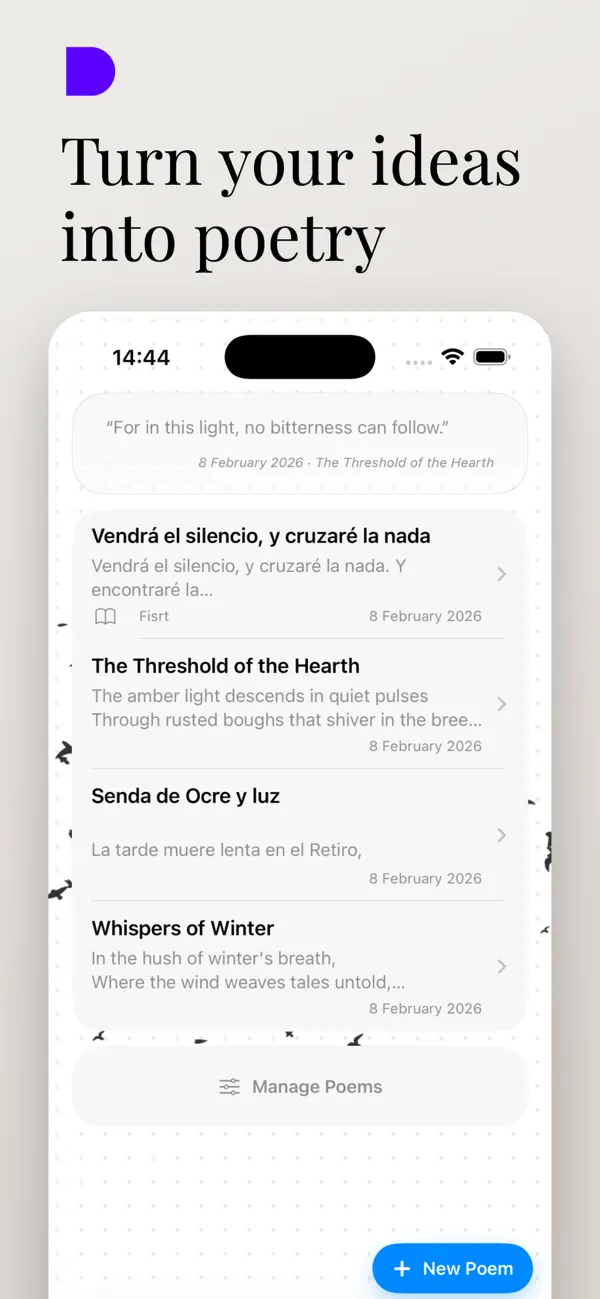
Everything you need to write poetry
Find ideas, work on rhythm and rhyme, organize your collections, and keep every version of a poem. When you want, you can also draw on configurable AI suggestions.
AI Poetry Generator
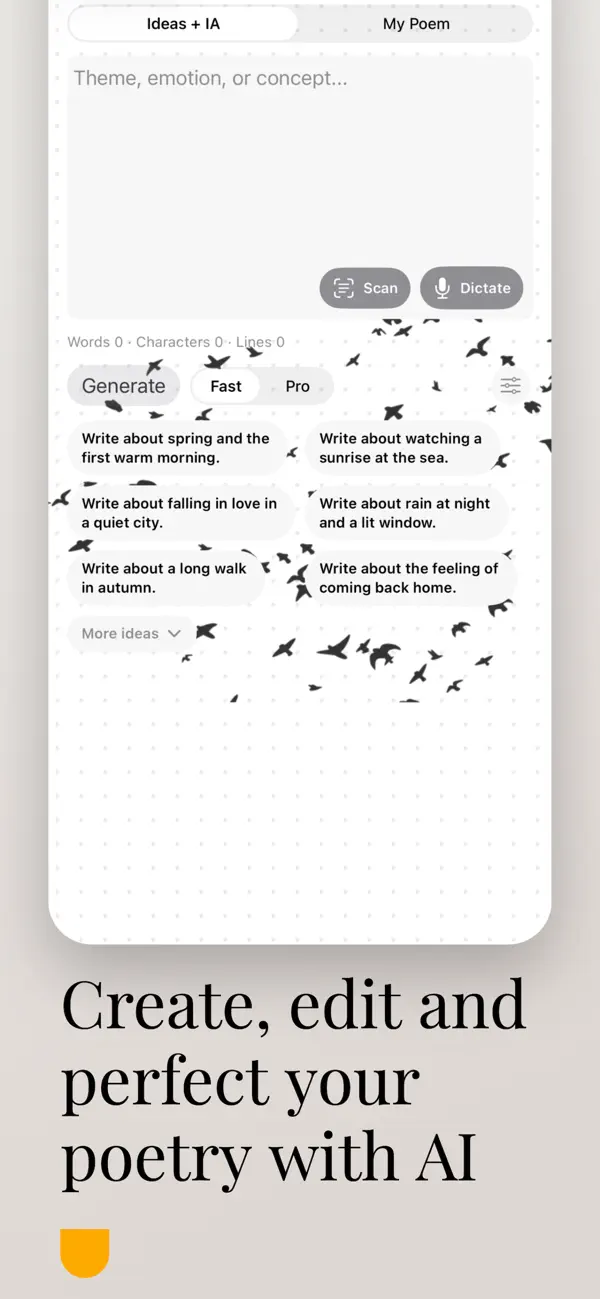
Generate ideas and drafts in the tone, style, and meter you choose. Use AI when it helps, or write without it.
Control AI Suggestions
Set persistent instructions to guide revisions and exclude words you do not want the AI to suggest.
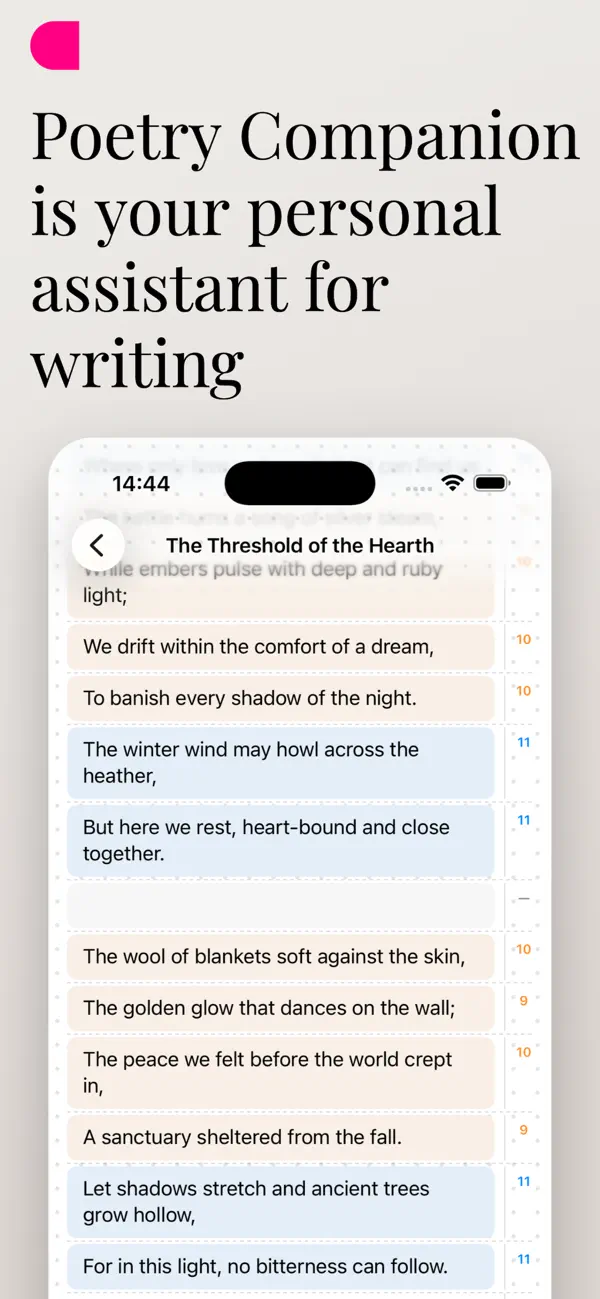
Real-Time Meter Analysis
Watch poetic syllable counts update as you type, helping you tune rhythm and cadence with precision.
Rhymes & Synonyms
Instantly find perfect rhymes, slant rhymes, and nuanced synonyms to expand your poetic vocabulary.
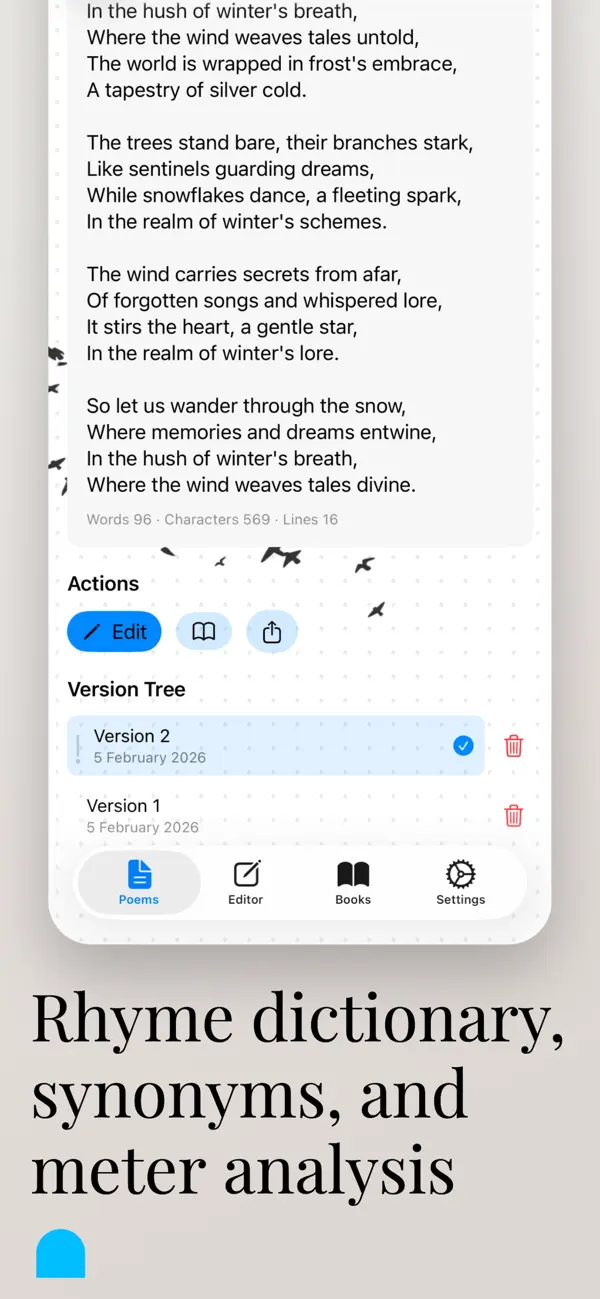
Version Tree
Experiment fearlessly. Every revision is preserved in a version tree so you can compare and restore any draft.
Books & Collections
Group your poems into themed collections, customize covers, and keep your poetic universe organized.
Recitation Recording
Record yourself reciting each poem to hear acoustic flow, pauses, and cadence alongside the written text.
Focus Mode
A serene, distraction-free environment dedicated solely to reading or composing your verses in peace.
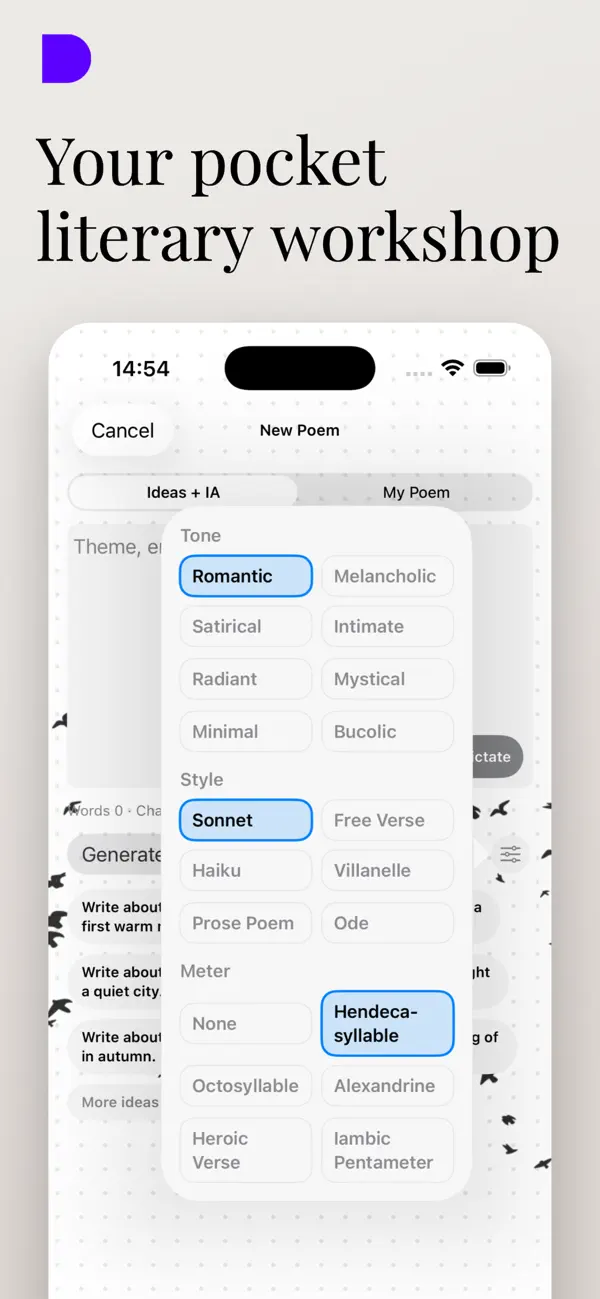
Choose a tone, style, and meter
The selector lets you choose Romantic or Melancholic tone, Sonnet or Free verse style, and no set meter or hendecasyllable. It also offers additional presets for Premium users.
Tones for Premium users: Satirical, Intimate, Radiant, Mystical, Minimalist, and Bucolic.
Styles for Premium users: Haiku, Villanelle, Prose poem, and Ode.
Meters for Premium users: Octosyllabic, Alexandrine, Heroic verse, and Iambic pentameter.
How it works in 3 steps
Start with your own words or ask AI for help; choose how much assistance you want.
Start with an idea or write by hand
Type or dictate your verses, scan paper notes, explore poetic themes, or ask AI for ideas. You can also leave AI off.
Guide AI or refine the poem yourself
If you use AI, choose tone, style, and meter and save lasting revision instructions. Or count syllables, find rhymes, and edit every line without AI.
Revise and keep your versions
Compare drafts, organize poems into books, and record recitations. AI ideas become yours when you revise them in your own voice.
Inside the app
Every screen is thoughtfully designed for writing comfort and the beauty of verse.
Tailored for iOS
Designed to make writing a natural, delightful part of your day.
Verse Widgets
Display random lines from your own poems right on your Home Screen to keep inspiration near.
iCloud Sync
Your poems sync directly between your iPhone and iPad via your personal iCloud account.
Your Words Stay Yours
Your poems are stored on your device and in your iCloud, and you can use the app completely locally.
Live Activities
Track background progress right from the Dynamic Island or Lock Screen.
Frequently Asked Questions
Clear, straightforward answers.
Can I generate poems with AI and also write without AI?
Yes. You can ask AI for ideas or drafts and choose the tone, style, and meter. AI is optional: you can also write, check meter, find rhymes and synonyms, and organize poems without using it.
Is Poetry Companion free?
The app includes a free option to write, analyze meter, and organize poetry books. An optional Pro upgrade is available for creators who want expanded features.
Where are my poems stored?
Your poems are stored on your device and in your iCloud, and you can use the app completely locally without sharing your poems.
Can I control the AI's style and revisions?
Yes. The selector includes Romantic and Melancholic tones, Sonnet and Free verse styles, and the choice of no set meter or hendecasyllable. Other presets are for Premium users, such as Haiku, Ode, octosyllabic, and Alexandrine. Add persistent instructions to guide revisions and exclude words from AI suggestions.
Does it work offline?
Yes. You can write, read your books, edit verses, and browse past drafts at any time without internet. Only external dictionary queries or optional suggestions require connectivity.
Can I hear how my poem sounds?
Yes. You can record your own voice reciting each poem to check musicality, pauses, and cadence alongside the written text.
Version History
Continuous refinements to enhance your writing experience.
Version 1.1.1
Latest- NEW poem search tool.
- You can now disable the flying birds animation in settings.
- Updated with more advanced language models.
- Adapted for iPhone Duo.
- Improved settings organization and accessibility.
- Enhanced persistent AI instructions and corrections.
- Improvements to recitation audio recording.
- Clearer poem creation limits for free and premium users.
- Fine-tuning to choose preferred AI for premium users.
- General improvements, bug fixes, and stability enhancements.
Version 1.1
- Focus mode for reading, editing, and composing without distractions.
- Idea and inspiration history used during poem creation.
- Review instructions and guidelines used for shaping each poem.
- Live visual updates on Dynamic Island while drafting in the background.
- Voice recording alongside text to assess cadence and rhythm.
- New Home Screen widgets displaying random lines from your books.
- Bug fixes and efficiency optimizations.
Begin your literary notebook today
Available for free on iPhone and iPad. Measure, refine, and preserve your verses.